Unlock PST: Complete Guide to PST Password Recovery for ANSI and Unicode Formats
DataVare Outlook PST Password Recovery Expert is a professional tool that helps you remove forgotten or unknown PST passwords without any data loss.
 amandaevans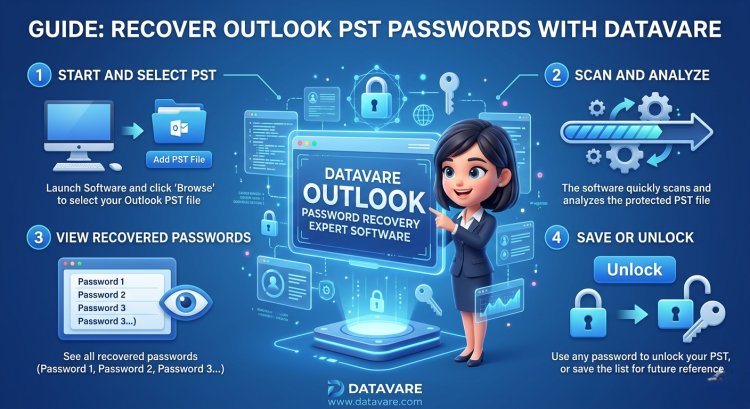
Best PST Password Recovery Method for ANSI & Unicode Outlook Files
PST (Personal Storage Table) files from Outlook from Microsoft contain contacts/calendars/emails & additional vital data. Many users password-protect PST files for security reasons; however, forgetting that password might cause major problems.
In this blog, we'll explain:
What is a PST file?
What is the difference between ANSI and Unicode PST?
Manual method for removing a PST password from Outlook.
Easy solution for PST password recovery using a third-party tool.
PST File Types: ANSI vs. Unicode
- ANSI PST
- Used in Outlook 2002 and earlier
- 2GB size limit
- Most commonly found on older systems
Unicode PST
- Outlook from 2003 onward
- Support for large sizes (up to 50GB)
- Improved security & performance
Note: Password recovery procedures may vary between formats.
Method 1: Using Outlook to Manually Remove a PST Password
You can use Outlook to modify or delete your PST file's previous password if you can recall it.
Manual Steps:
- Open Outlook
- Go to File > Account Settings > Account Settings
- Select the Data Files tab
- Select your PST file and click Settings
- Select the Change Password option
- Enter the old password & set a new password, or leave it blank
Limitations of the Manual Method: -
- A password must be remembered
- Does not work in case of a forgotten password
- Fails on a corrupt or inaccessible PST
Method 2:- PST Password Recovery with a Third-Party Tool (ANSI & Unicode)
An independent PST password recovery application is the finest & safest choice if you have entirely lost your PST password.
DataVare Outlook PST Password Recovery Expert is a professional tool that helps you remove forgotten or unknown PST passwords without any data loss. This software supports both ANSI and Unicode PST files and makes the Outlook password removal process extremely easy.
Key Features
- Full support for ANSI and Unicode PST files
- Instantly removes forgotten or unknown PST passwords
- No need to have Outlook installed
- 100% secure and read-only process
- Compatible with all Windows operating systems
- Effective even on large PST files
- Simple and user-friendly interface
How does the PST Password Recovery Expert Tool work?
This tool is extremely easy to use & requires no technical knowledge.
Procedure in detail:
- Install the PST Password Recovery Expert Software
- Add the locked PST file
- The software scans the PST file
- Removes the password in seconds
- Now access your PST file without a password
Conclusion
PST password forgetting is a frequent but dangerous issue. A reputable PST password recovery program is the quickest, most reliable method to recover a forgotten PST password (ANSI or Unicode); however, Outlook's manual technique is helpful if you recall the password.
This guide will help you choose the right method & regain access to your important Outlook PST file.